November 24th, 2011

MediaCoder on the way to a distributive transcoder

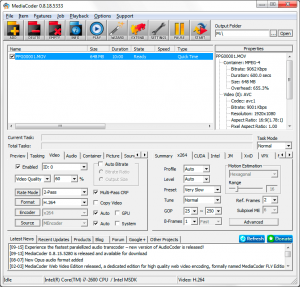
Finally MediaCoder is stepping on its way to becoming a distributive transcoder. I decided to design a frame level distributing mechanism instead of file-level distributing. The system is made up of a master, which performs decoding and data distribution, and one or more agents, which receive raw video frame, encode them and send the encoded stream back to the master. Users will feel like still using a desktop version of MediaCoder, while the encoding is actually done on another one or more machines. This approach has several advantages:

  1. No need to expose the whole file to the encoding machine with OS file sharing.
  2. It’s possible to implement segmented + distributed transcoding
  3. The decoding is still done by a Windows box (where MediaCoder runs), which has better decoding capability. This also helps to unify the decoding standard in a distributed transcoding system.
  4. The transcoding agents need no storage for intermediate data during transcoding. The frames are transmited over LAN, encoded and send back over LAN.

However, nothing is perfect. The downsides are:

  1. A fast (Gigabyte) LAN is required. Otherwise, the transmission of raw video frame over LAN will be the bottleneck of the system
  2. The master will have heavy load if there are too many agents to be fed

Currently the finished work is still limited. The MediaCoder Agent is written from scratch and only supports x264 meanwhile. It’s OS portable already however and I decided to make it open-source. So that some one will help with the improvement and porting hopefully.

Here is what current implementation can do and the limitations:

  1. MediaCoder Agent wait for incoming connection from MediaCoder upon running
  2. When MediaCoder is put into the new “Distributive” mode, it will off-load video encoding to MediaCoder Agent running on the other machine or locally.
  3. During the transcoding in distributive mode, MediaCoder decodes video into raw frames, send the frames to the agent over TCP and wait for the agent to return encoded stream in the return channel
  4. MediaCoder Agent can literally run on any OS (32 or 64 bit) with x264 installed (in /usr/bin by default, the location can be altered in MediaCoder’s Settings dialog)
  5. Audio encoding is not off-loaded and still done locally
  6. Currently only x264 is tested and only a single agent is supported

Read the rest of this entry »

January 25th, 2011

Just shot a stereoscopic (3D) video clip and encoded with MediaCoder

It was snowing the other day and I thought it was a best chance to shot a 3D video with good 3D effect and here is it. The video was shot with a Fuji W3 3D camera. MediaCoder has just got the ability to process stereoscopic file like the dual stream AVI format that the W3 camera uses. I transcoded the video to a side-by-side layout in 1080p, transfer to PS3 and play it on my Sony 3D bravia TV. The 3D effect was just awsome. It was fun!


Get Flash to see this player.

Read the rest of this entry »

August 18th, 2010

MediaCoder tested with Intel Concurrency Checker

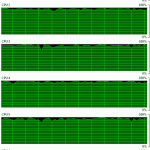
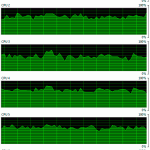
Today MediaCoder has been tested with Intel Concurrency Checker, as was invited by Intel Software Partner Program. According to the reports sent back by Intel, the Computed Scaling value of MediaCoder is 2.6 and 3.71 for without and with task parallelization respectively, which reaches and surpasses the suggested minimum value for 8-core processors.

October 5th, 2009

Technology preview: the next-generation transcoding software

The next-generation, all-in-one transcoding software is now being actively worked on, side-by-side with the development of MediaCoder. Here I disclose some interesting features of this brand new software, will possibly named, Transmedia for personal use and Transerver for organization/enterprise use.

Transmedia

  • Easy-to-use and efficient media transcoding
  • UI/core separated design
  • Pipelined task processing
  • Segmented transcoding
  • GPU accelerated encoding
  • User-participating mobile device support for transcoding
  • Media streaming with real-time on-the-fly media transcoding
  • uPnP and DLNA support for digital media device connectivity and discovery
  • Handy media library feature
  • Media playback and transcoding benchmarking feature (like PCMark)

Transerver

  • Automated batch media transcoding
  • Client/server schema
  • Pipelined task processing
  • Segmented transcoding
  • CPU/GPU co-working for highest possible transcoding performance
  • Watch-folder feature
  • Distributed/clustering transcoding (master/nodes schema) with loading balance
  • Remote monitoring and administration with local user experience
  • Integration into 3rd-party systems with interfaces like XML-RPC, SOAP etc.
  • Native cross-platform support for both UI and core (e.g. Linux)

If you have any idea or expectation, just leave a comment here.

July 3rd, 2009

Benchmarks: CUDA H.264 vs x264

Hardware platform:

  • CPU: Intel Core2 Quad Q6600 (2.4Ghz/4 cores)
  • GPU: nVidia GTX 275 (896M/448bit/240 SP)
  • Memory: 4GB

Software platform:

  • OS: Windows XP x64
  • Transcoder: MediaCoder 0.7.1.4475
  • x264 command line options:  –no-psnr –no-ssim –keyint 250 –min-keyint 25 –me hex –merange 16    –non-deterministic –aq-mode 1 –aq-strength 1.0 –b-adapt 1 –ref 1 –subme 6 –psy-rd 1:0 –bframes 3  –trellis 1 –weightb –direct auto –bitrate $(VideoBitrate) –qcomp 0.6  -o “$(DestFile)”

Read the rest of this entry »

June 9th, 2009

CUDA H.264 transcoding test report in MediaCoder

NVIDIA’s cutting-edge CUDA tech is cool, and it’s been talking about throughout the internet. Also it’s attractive to us, we started cuda working from the start of the year. After a period of hard working, we finally successfully integrated it into MediaCoder, it’s very awsome. We can’t wait to annouce it and publish the test report.

The report mainly compares transcoding performance between CUDA-accelerated H.264 and X264. There are two parts, one is performance on HD encoding, the other is on low resolution encoding.
Read the rest of this entry »